Ledger
A downloadable game for Windows, macOS, Linux, and Android
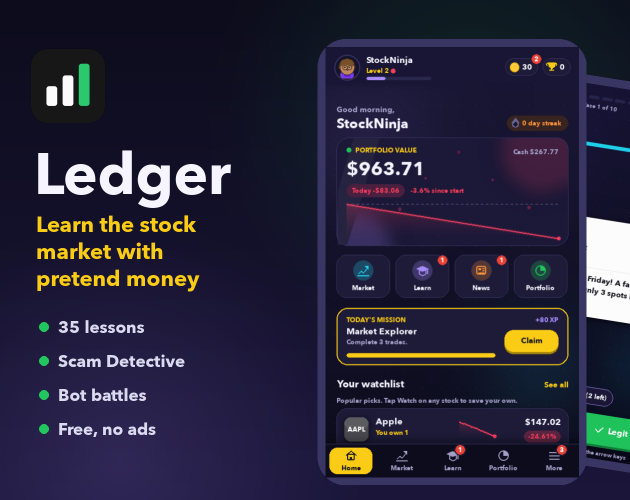
Ledger is like Robinhood for kids: learn how the stock market works with $1,000 of pretend money.
Buy and sell 73 real companies in a simulated market, watch your portfolio grow (or shrink!), and learn why prices move. No real money, no ads, nothing to buy.
WHAT'S INSIDE
📈 Trade: a live simulated market with charts, dividends, price alerts and stop-losses
🎓 Ledger Academy: 35 bite-sized lessons with quizzes, from budgeting to "why do we panic-sell?"
🕵️ Scam Detective: 60 real-world scam messages. Can you spot the fake investment tip?
⚔️ Bot Battles: 60-second trading duels against 6 rival bots
🏆 Levels, streaks, chests, and an avatar you design yourself
👪 For parents: a Parent PIN, daily time limits, and a Parent View showing what your kid has learned
Everything is saved only on your computer. Friends and leaderboards work between accounts on the same computer, great for siblings or a shared family laptop.
HOW TO OPEN IT
Mac (M1 or newer): unzip, then right-click Ledger → Open → Open the first time. macOS asks because the app isn't from the App Store.
Windows: unzip the folder and open Ledger.exe. If a blue "Windows protected your PC" box appears, click More info → Run anyway.
Made by Rohin Pidathala. The code is open source on GitHub:
https://github.com/rohincodes15-websites/Ledger-Stock-Market
Download
Install instructions
No extra programs needed. Everything is included.
MAC (M1 or newer)
1. Unzip Ledger-mac.zip (double-click it).
2. The first time only: right-click Ledger → Open → click Open again.
(MacOS asks because the app isn't from the App Store. After this, it opens normally.)
Tip: drag Ledger into your Applications folder to keep it.
WINDOWS
1. Right-click Ledger-windows.zip → Extract All.
2. Open the Ledger folder and double-click Ledger.exe.
3. If a blue "Windows protected your PC" box appears, click More info → Run anyway.
Keep Ledger.exe inside its folder. It needs the other files next to it.
Your progress is saved automatically on your computer.